For representatives
Hold every mandate to the statute.
SMEDTEC OS gives EU ARs, UK RPs, US Agents and TGA Sponsors their own firm workspace across every client and role, for medical devices and IVDs: obligations cited to the provision that creates them, identifiers, renewal timers, complaints forwarded with the time evidenced, and the evidence a manufacturer or authority will ask for.
Free 14-day trial · Auditable from day one
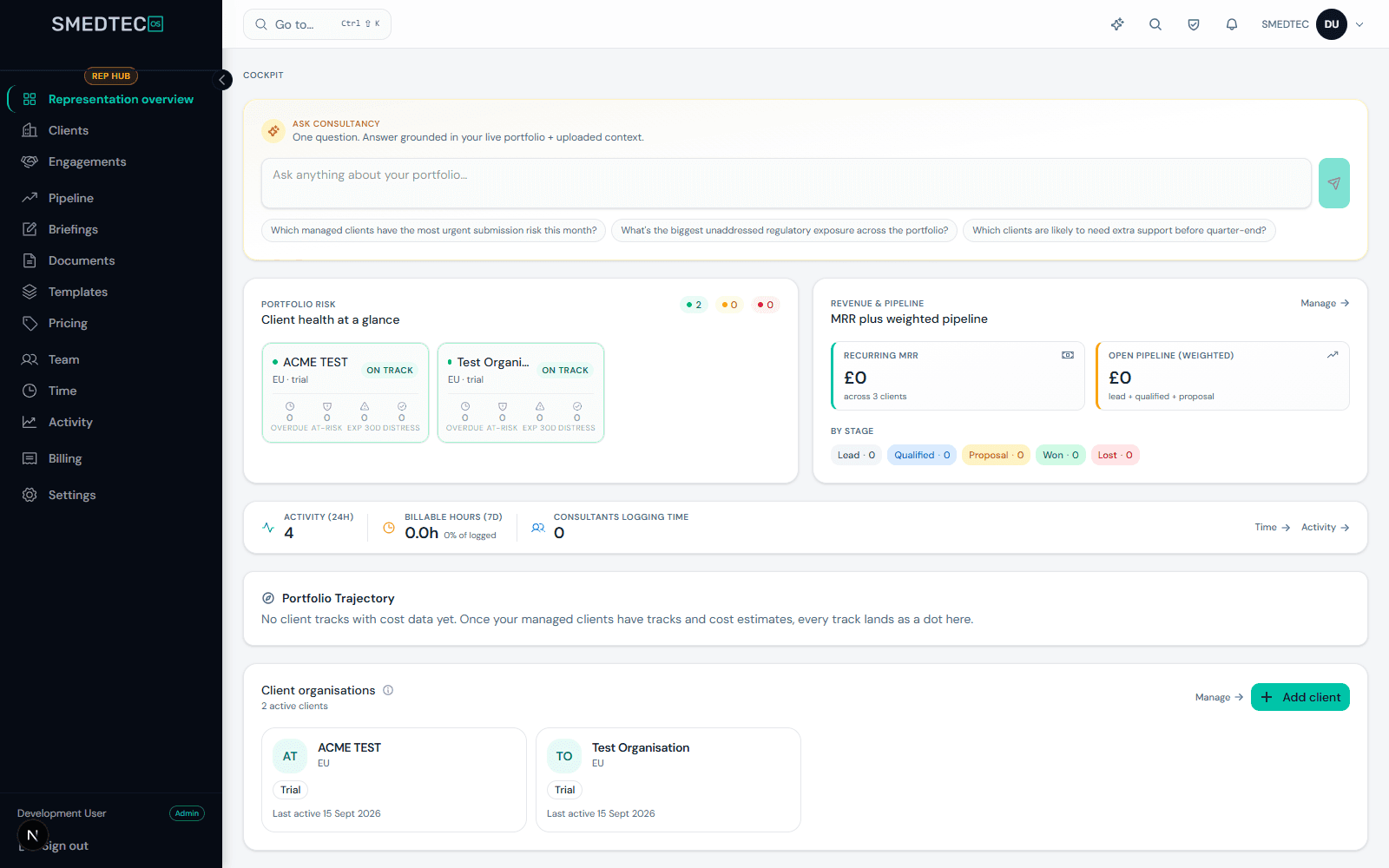
Four statutory roles, many clients, one inbox.
Representation is a legal role with its own duties per jurisdiction. Most firms run it on memory and email. A mandate is the written appointment a firm holds for one client under one role: the EU AR's written mandate (MDR Art. 11(2)), the UK RP's appointment, the US Agent's designation (21 CFR 807.40(b)) or the TGA sponsorship.
Obligations live in people's heads
MDR Article 11 duties for one client, UK RP duties for another, US Agent for a third — each remembered rather than recorded, each with a different rhythm.
Identifiers and renewals scattered
SRNs, MHRA account numbers, FDA establishment registrations and ARTG entries sit in emails and PDFs. Nobody sees the next date coming.
Terminations are messy
Ending a mandate has notification duties of its own. Without a record, the authority and the manufacturer hear different stories.
Clients ask for evidence you cannot hand over
A manufacturer facing an audit wants proof of what their representative did and when. Reconstructing it costs days.
What a representative runs in Mandates
- EU AR · UK RP · US Agent · TGA Sponsor
Obligations cited to their provision, per role
Each mandate brings the obligation checklist for its role — EU Authorised Representative, UK Responsible Person, US Agent or TGA Sponsor — from a platform-maintained library in which every obligation cites the provision that creates it. You review and own the set; the platform keeps it visible.
- SRN · MHRA · FDA · ARTG
Jurisdiction identifiers
Record SRN, MHRA, FDA and ARTG identifiers against each client mandate, with the registration they belong to and when it lapses.
- Deadline board · Daily sweep
One deadline board, every clock
Registration renewals and confirmations, retention clocks, dated obligations, vigilance reporting timers, authority response targets and mandate renewals in a single horizon view across every mandate you hold — and a daily sweep that raises each one as an alert before the date rather than on it.
- MDR Art. 11(3)(g) · TGA clocks
Complaints and reports forwarded
Log a complaint or incident report as it arrives and record when it was forwarded to the manufacturer. The audit trail captures the elapsed time between the two — the figure an authority asks about. TGA initial-report clocks (48 hours, 10 days or 30 days) and the 120-day final report are derived from the date of receipt, not entered by hand.
- Art. 11(3)(d)/(e) · 21 CFR 807.40
Authority communication log
Every request and response from MHRA, the TGA, the FDA and EU national competent authorities, held against the mandate it belongs to, with the working-day target you set yourself (an internal target, not a legal deadline) and the language the response went out in.
- FSCA · Recall · CAPA
Field safety actions
FSCAs, recalls and CAPA coordination tracked as the sequence an authority asks you to evidence: authority notified, field safety notice issued, proof of receipt collected, effectiveness checked.
- Consented link · Managed workspace
Two ways to work with a client
Connect to a manufacturer's own workspace under your mandate: they approve, choose the products you see, and can end it at any time; your view is read-only. Or, for clients who'd rather not run their own, manage a workspace for them under your firm and give their contacts read-only access to their own products, documents and status.
- Termination · Notifications
Mandate termination
End a mandate with the authority-notification steps tracked, so its close is as evidenced as its start.
- Briefings · Source-audited
Briefing Studio
Generate a market-access briefing note for a client from platform data and live research. Every regulatory claim is traced to a recorded source or flagged for confirmation before the note goes out.
- SMEDTEC OS connector · MCP
Worked from your AI assistant
Through the SMEDTEC OS connector, ask your AI assistant what is due across your mandates, open a mandate, complete or add a deadline, or log a new vigilance case as it arrives. Forwarding, authority reports and terminations stay in Mandates, where they belong.
- Practice · Quotations
Practice alongside
Enquiries, Quotations and projects for the consulting work around a mandate, in the same workspace and against the same client record.
- Immutable · Evidence
Audit trail across your book
Every action is immutably logged with user, timestamp and metadata, so the evidence a manufacturer or authority asks for already exists.
Four statutory rolesClient-approved accessTamper-evident audit trailDPA published
Statutory roles
EU AR · UK RP · US Agent · TGA Sponsor
Mandates on the Firm plan
25 on Firm Plus · £1.50 per extra mandate a month
Deadline sweep
Renewal · confirmation · retention
Which representation roles does SMEDTEC OS support?
EU Authorised Representative, UK Responsible Person, US Agent and TGA Sponsor, for medical devices and IVDs. A firm declares the roles it offers, and each client mandate is held against one of them. Consulting work for the same client runs alongside, as projects in Practice.
Where do the obligations come from?
From a platform-maintained template library in which each obligation cites the provision that creates it. A checklist is created for each mandate for you to review, assign and evidence. Meeting the obligations remains your firm's responsibility; the platform keeps them visible and recorded.
Can our manufacturer clients see their own data?
Yes. A client with its own workspace keeps its data there and decides what your firm can see. For a client whose workspace you manage under your firm, their contacts can be given read-only access to their own products, documents and status without seeing any other client.
How do renewals and confirmations surface?
Two ways. A deadline board shows every clock across every live mandate in one horizon — registration renewals and confirmations, retention periods, dated obligations, vigilance reporting timers, authority response targets and mandate renewals — with overdue items always visible regardless of the horizon you pick. Separately, a daily sweep raises each one as an alert in your team's queue ahead of the date rather than on it.
Can we record complaints and authority requests, not just the obligations?
Yes, and they are separate things on purpose. The obligation checklist says the duty exists; the registers record each occasion you discharged it. A vigilance case captures when a complaint arrived and when it was forwarded to the manufacturer, and the audit trail keeps the elapsed time between the two. The authority log holds each request and the response that closed it. Field actions track the FSCA sequence — authority notified, notice issued, proof of receipt, effectiveness check.
Are the reporting deadlines calculated or entered?
Calculated. TGA initial-report clocks are derived from the date the case was received and the severity recorded: 48 hours for a serious threat to public health, 10 days where the event led to death or a serious deterioration in health, and 30 days where it might have. Follow-up reports are due at least every 30 days and the final report within 120 calendar days of the initial report. A case without a recorded severity is held to the 30-day clock until you classify it. Working-day targets exclude weekends; public holidays are not modelled, so those are internal targets, not legal determinations. Meeting them remains your firm's responsibility.
How does SMEDTEC OS keep up with EUDAMED and the changing UK regime?
Each mandate records the identifiers each role depends on, such as the EU Single Registration Number and MHRA registration details, against each client with its renewal cadence, and every obligation in the library cites the provision behind it. EUDAMED modules and the UK's new medical device regulations are phasing in on timetables the authorities set and revise, so add each date to the mandate as a deadline once it is confirmed, rather than relying on a date fixed in advance.
Is the US Agent workflow the same as the others?
Deliberately not. A US Agent's duties under 21 CFR 807.40 are to assist the FDA with communications, respond to questions about the foreign establishment's products, help schedule inspections, and report changes to the agent's details within 10 business days. SMEDTEC OS therefore shows a US Agent mandate the authority communication log, the FDA establishment registration with its 1 October to 31 December annual window, and the 10-business-day change clock — not a complaint register or a documentation retention clock. Whether your firm also takes on medical device reporting for a foreign manufacturer is a matter for your agreement with them; 21 CFR 803 treats the U.S. agent of a foreign manufacturer as a manufacturer for reporting purposes, so agree it in writing and record it on the mandate.
Bring your first client mandate in.
Create your firm's workspace, add a client and its role, and see the obligation set and renewal dates it generates. Fourteen days of Firm Plus, then choose a plan or stay on Free.